AI Task Automation API Access for Developers: 8 Tools That Deliver
Your task tool works fine until you need it to talk to anything else. Many platforms cap API calls, skip webhooks, or charge per seat just to read a status update, which is usually the moment developers start hunting for alternatives.
This article breaks down what actually matters in AI task automation API access: coverage, authentication, rate limits, and pricing models. You will get eight concrete tools compared, plus a clear number one pick and criteria for choosing the right fit for your stack.
What to Look For in AI Task Automation API Access
When evaluating AI task automation platforms for API access, developers must scrutinize three critical dimensions: API coverage and authentication mechanisms, rate limits and scalability, and the depth of automation capabilities including webhook support and pricing structures.
These factors decide whether a platform slots neatly into your existing stack or becomes another silo you have to work around. A generous feature list means little if the REST API cannot create tasks programmatically or if authentication forces awkward workarounds.
Scalability matters just as much. Rate limits that feel invisible during a prototype can choke a production workflow orchestration pipeline once real traffic arrives.
Automation depth separates basic task managers from true automation platforms. Conditional logic, multi-step flows, and event-driven triggers determine how much manual glue code your team writes and maintains.
Pricing models tie everything together. Per-call, per-user, and tiered subscriptions each reward different usage patterns, and hidden overage fees can quietly inflate costs.
Work through the criteria below in order. Together they tell you whether an automation platform will integrate cleanly today and still fit your team's needs a year from now.
API Coverage, Authentication, and Rate Limits
A robust AI task automation API should offer comprehensive coverage of core functionalities, such as task creation, assignment, status updates, and reporting, exposed through well-documented REST endpoints and client SDKs in popular languages.
Coverage is easiest to judge by scanning the endpoint list. A mature API typically exposes resources for tasks, users, projects, comments, and attachments, each supporting the standard methods: GET to read, POST to create, PUT or PATCH to update, and DELETE to remove.
Watch for gaps in that surface. If reporting or bulk operations are missing, developers end up scripting around the API, which adds maintenance burden. A published SDK in languages like Python, JavaScript, or Go shortens integration time further.
Authentication deserves equal attention. Most platforms support three common options:
- API keys for quick server-to-server calls and simple scripts
- OAuth for delegated access, so users authorize your app without sharing credentials
- JWT for stateless authentication in microservice or serverless architectures
Rate limits are where integrations quietly break. A common threshold sits around 100 requests per minute per account, though tiers vary. When you hit the ceiling, the API returns a throttling response, and your client must respond gracefully.
Two strategies work well: exponential backoff, where retry delays double after each failure, and honoring the Retry-After header when the server provides one. Ignoring both can stall a CI/CD pipeline mid-deploy or drop events in an event-driven architecture, because a burst of parallel jobs exhausts the quota at the worst moment.
Finally, check for a sandbox environment and detailed error codes. A test tier lets developers validate flows without touching production data, and granular error responses, such as distinct codes for validation failures versus permission issues, cut debugging time dramatically.
Automation Depth, Webhooks, and Pricing Models
Beyond basic CRUD operations, advanced AI task automation platforms support event-driven workflows through webhooks, enabling real-time triggers and actions that work together with CI/CD, DevOps, and MLOps pipelines.
Automation depth shows up in what the platform can do without external code. Look for conditional logic, such as branching when a task priority changes, and complicated processes that chain several actions together. Integration with external services like Slack, GitHub, or cloud storage extends that reach into the tools your team already uses.
Webhooks are the backbone of event-driven automation. When registering an endpoint, developers should confirm three things:
- Payloads are signed, so your server can verify the request truly came from the platform
- Retries happen automatically when your endpoint is briefly unavailable
- Delivery logs exist, making failed events easy to trace and replay
Signature verification usually means hashing the raw payload with a shared secret and comparing it to a header value. Skipping this step leaves your endpoint open to spoofed requests. For local development, tools like ngrok expose a public URL that tunnels to your machine, so you can test webhook handling before deploying.
Pricing models shape long-term cost more than headline rates suggest. Common structures include per-API-call billing, per-user seats, and tiered subscriptions that bundle a call allowance. Overage fees are the classic hidden cost: a workflow that polls frequently can blow past a tier boundary and trigger charges no one budgeted for.
Evaluate total cost of ownership rather than sticker price. Factor in development hours spent on authentication, retry logic, and error handling, plus ongoing maintenance when the API changes. A platform with cleaner documentation and predictable limits often costs less overall than a cheaper option that demands constant engineering attention.
1. Tasks.Bot - Best Overall
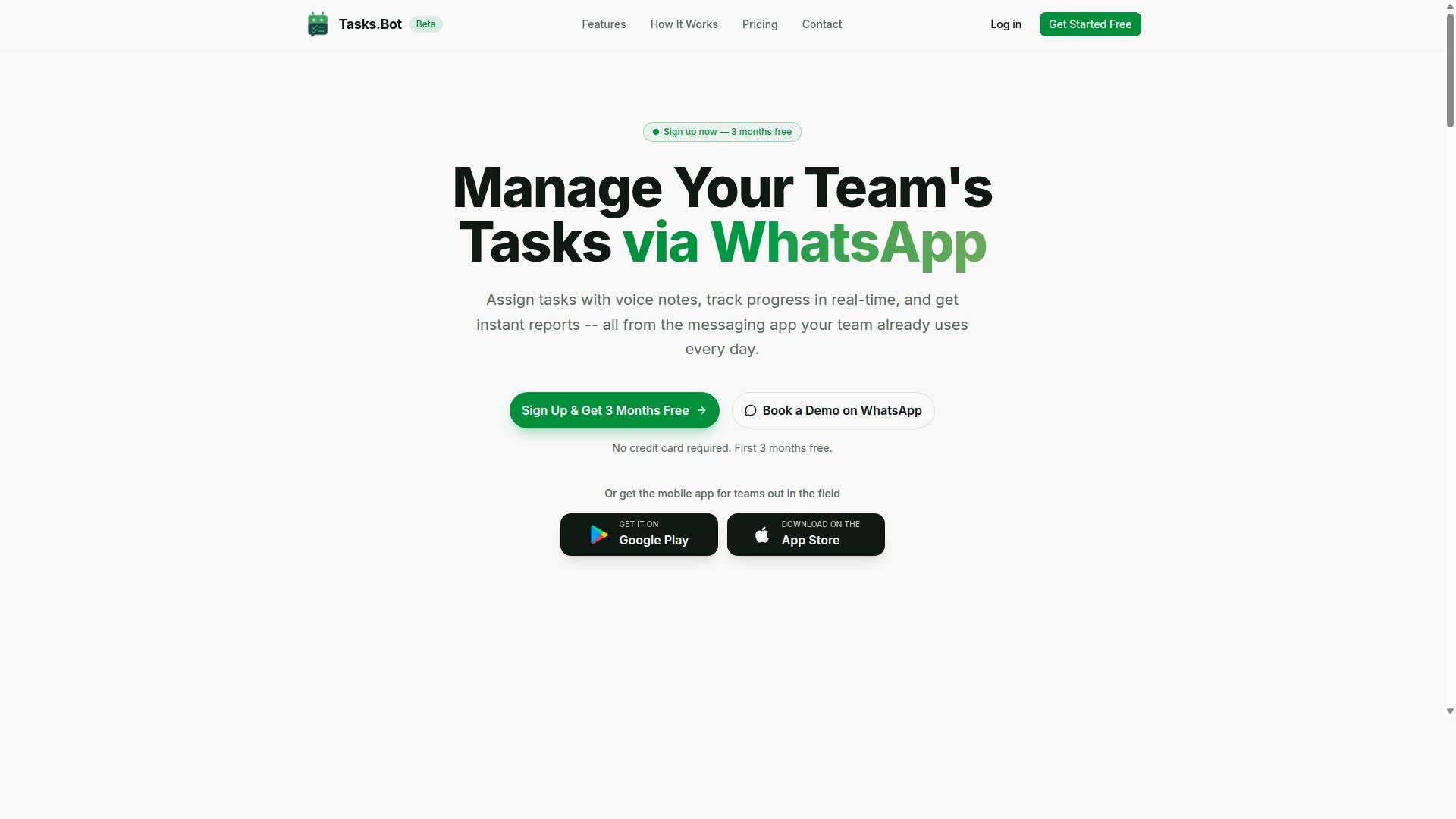
Tasks.Bot stands out as the best overall AI task automation solution for teams that rely on WhatsApp, offering a unique blend of natural language processing, voice-note task creation, and seamless integration without requiring team members to install new apps or create accounts.
Most AI task automation platforms assume every user lives inside a dashboard. Tasks.Bot flips that assumption. The work happens where field staff already spend their day: a WhatsApp conversation.
That makes it a strong fit for teams with field staff who need task management, attendance tracking, and payroll-ready hours. A supervisor can assign work, confirm attendance, and pull reports without chasing anyone onto a new tool.
The platform is currently in beta and offers a Book a Demo on WhatsApp option, so evaluation starts in the same channel the product runs on. For developers weighing AI task automation options, it is the clearest example of a WhatsApp-native approach in this roundup.
WhatsApp-Native Task Automation with AI Voice and Natural Language
Tasks.Bot leverages AI to interpret natural language and voice notes for task creation, allowing users to simply send a WhatsApp message like 'Assign John to fix the leak by Friday' and have it automatically parsed into a structured task with assignee, deadline, and priority.
Under the hood, natural language understanding extracts intent and entities: the task itself, the assignee, and the due date. Voice notes follow a similar path. Speech recognition transcribes the audio, then the same language model processes the text into a structured task.
Once a task exists, the automation layer takes over. The platform supports:
- Automatic task assignment
- Smart deadline reminders
- Approvals and automations
- Instant reports
- Tasks on a map and a live day tracker
- Face-verified attendance, plus shifts, leave, and hours management
Consider a concrete example. A site manager records a voice note: "Priya, inspect the north warehouse tomorrow morning." The system transcribes it, identifies Priya as the assignee and tomorrow morning as the deadline, then creates the task and notifies her inside WhatsApp.
Team members need no new accounts and no app installs. Everything happens within WhatsApp. For those who want more, Android and iOS apps add push notifications, voice capture, and a home screen widget, which keeps tasks moving on the go.
Pricing, Beta Access, and Developer Fit
Tasks.Bot offers a straightforward 'Full Access' plan with all features included, priced at ₹200 per member per month or ₹1,200 per year per member, with global availability and no country restrictions.
Pricing is available in Indian Rupees and US Dollars, and the site provides a 'Select currency' option, so verify the currency at checkout. The annual plan saves 50%, or ₹1,200 per year per member. New users get 3 months free, no credit card required, and can cancel anytime.
The service is in beta. That can mean evolving features and potential API limitations, so plan accordingly if your roadmap depends on stable interfaces.
On developer fit, be clear about the trade-off. Tasks.Bot excels at no-code and low-code automation via WhatsApp, and it may not offer a traditional REST API or SDK for deep integration. Its AI and automation capabilities are accessed through WhatsApp messages and the mobile app rather than through endpoints, API keys, or OAuth flows.
That matters if your stack relies on webhooks, event-driven triggers, or pipeline orchestration. If your integration needs are conversational and human-driven, the WhatsApp-native model fits well. If you need programmatic task scheduling inside a microservice or serverless function, weigh that gap carefully.
A refund policy applies, and the 'Book a Demo on WhatsApp' option lets you assess fit directly. Ask whether WhatsApp-native automation aligns with your tech stack before committing.
2. Reminderly.ai
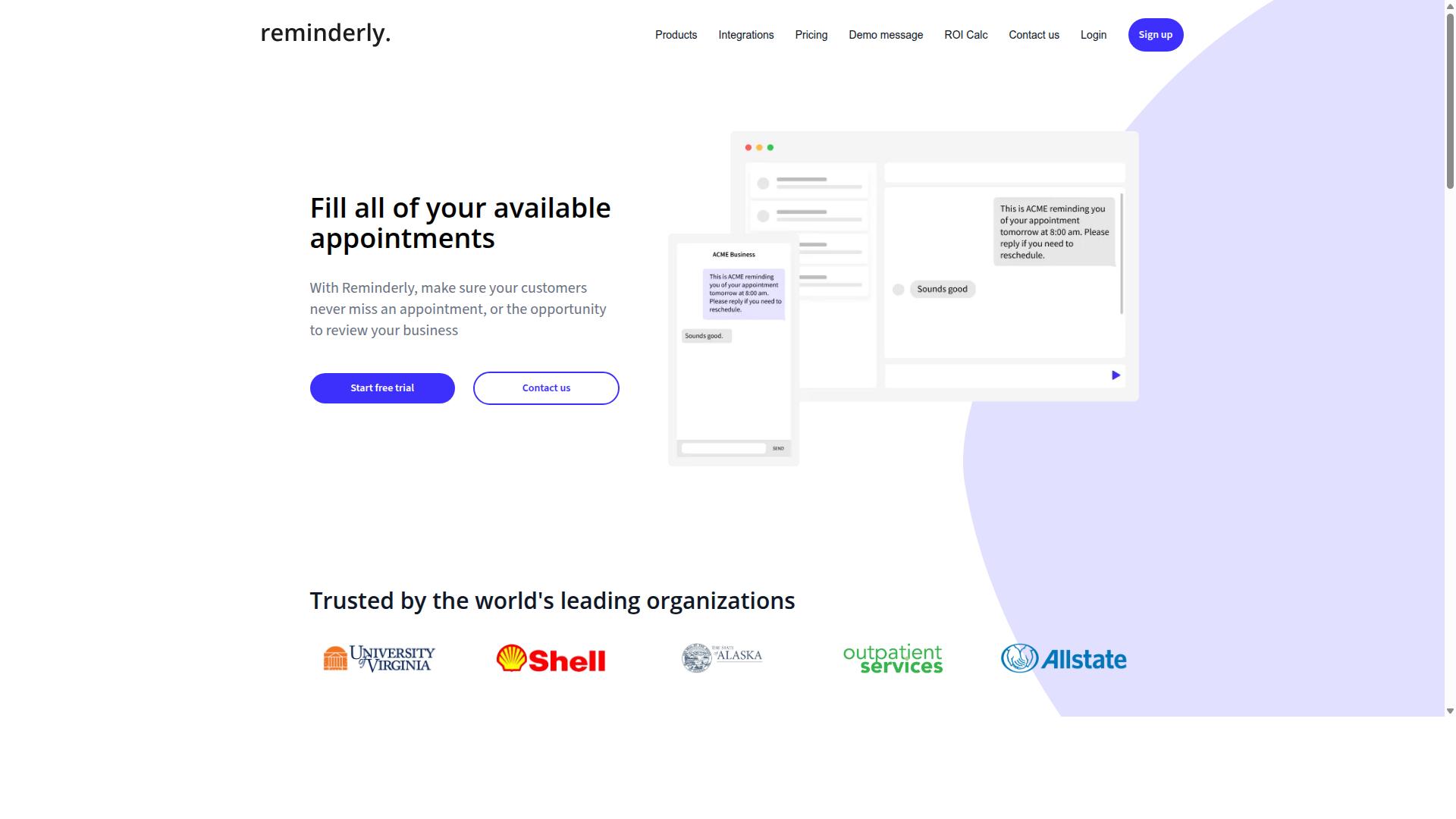
Reminderly.ai is an AI-powered reminder and task automation tool that focuses on scheduling and notifications, but its API access and integration capabilities are less mature than some competitors. It targets users who need to send timely nudges rather than build complex automation pipelines.
The platform delivers reminders through email, SMS, and chat apps, which makes it convenient for teams that already live in messaging tools. Setup is generally quick, and the AI layer helps with phrasing and timing suggestions for outbound messages.
For developers, the API story is where things get thinner. Reminderly.ai exposes a limited set of REST endpoints, and authentication relies on a simple API key rather than OAuth or scoped tokens. Rate limits are described as low, which can constrain higher-volume use cases.
- Channels: email, SMS, and chat app delivery
- API style: REST with a small endpoint surface
- Auth: API key only
- Rate limits: low, better suited to modest volumes
- Pricing model: freemium with paid tiers
The freemium entry point makes it easy to try simple reminder flows without commitment. Paid tiers unlock more capacity, though the exact limits vary and should be checked directly with the vendor.
Strengths center on ease of setup. A developer can wire up a basic reminder in minutes, which suits prototypes, internal notifications, or lightweight task scheduling. There is little ceremony involved.
Weaknesses show up when requirements grow. Reminderly.ai lacks deep workflow orchestration and does not offer webhook support in the way event-driven systems expect. That limits its role in a larger automation pipeline.
There is no native way to chain triggers and actions across services, and no callback mechanism to notify your own systems when a reminder fires. Teams building microservices or serverless workflows may find themselves bridging gaps with custom code.
For straightforward notification needs, Reminderly.ai can work well. For anything requiring conditional logic, multi-step pipelines, or tight integration with CI/CD and DevOps tooling, it may not be suitable for complex developer needs.
3. TaskRio
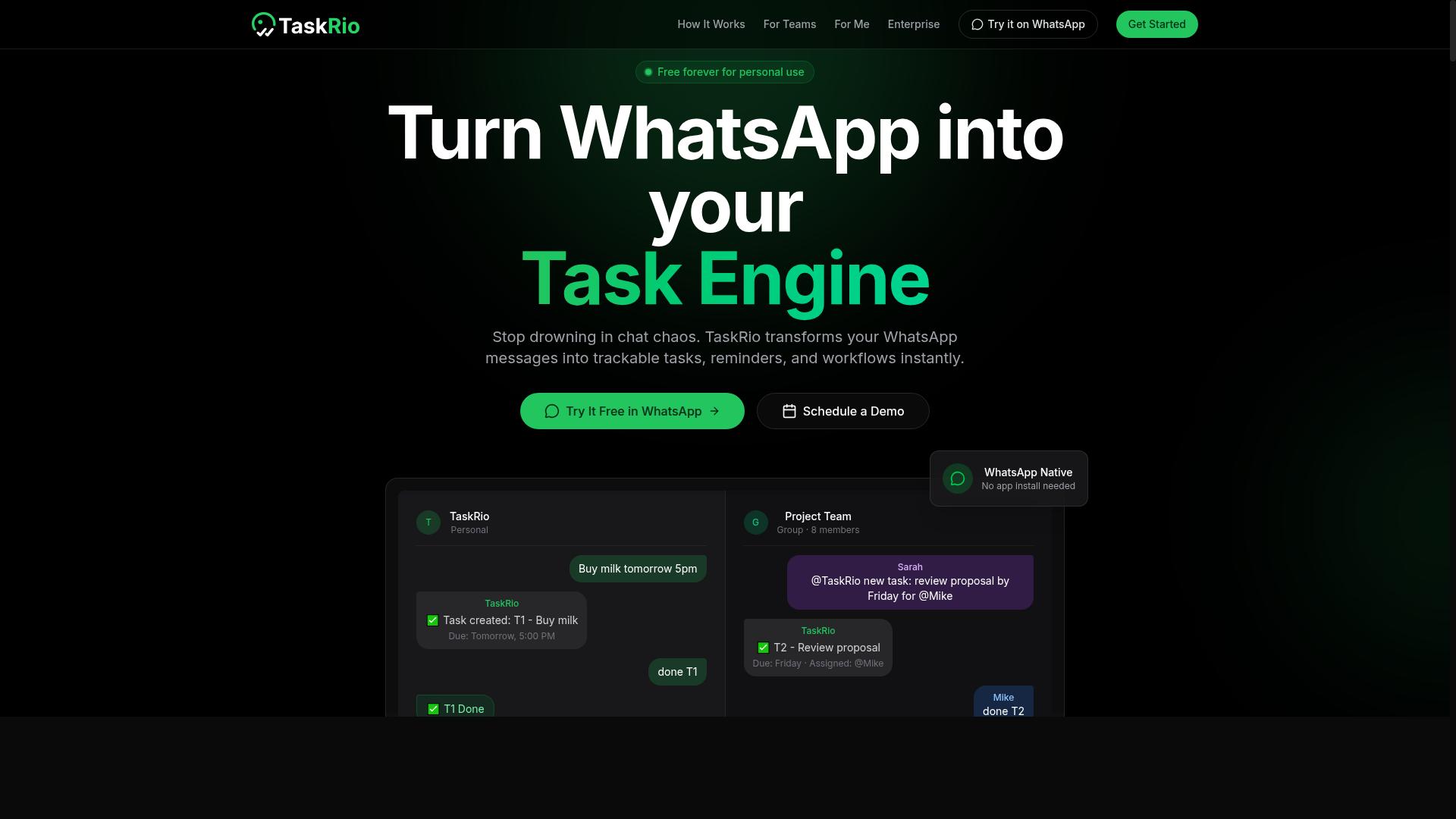
TaskRio is a task management platform with a developer-friendly API, offering robust REST endpoints and SDKs, but its AI capabilities are limited to basic natural language processing for task creation. For teams that care most about clean API access and predictable integration patterns, that tradeoff may be acceptable.
The platform exposes endpoints for three core objects: tasks, projects, and users. That structure maps well to most project tracking workflows, so developers can model their data without fighting the API's assumptions. Official SDKs reduce boilerplate for common languages, and the documentation is generally regarded as clear enough for a first integration.
Authentication uses OAuth2, which fits multi-user apps where each person authorizes access to their own workspace. Rate limits are described as generous, meaning most internal tools and background jobs should not hit throttling under normal load. For high-volume pipelines, it still helps to batch requests and cache responses where possible.
Event-driven automation is supported through webhooks. Rather than polling for changes, an integration can subscribe to events and react when a task is created, updated, or completed. Common patterns include:
- Syncing task status into a separate reporting database
- Triggering a notification or chat message when an item changes
- Kicking off a downstream pipeline, such as a build or review step
Pricing follows a per-user model with tiered features, so cost scales with team size rather than API call volume. That structure tends to suit organizations where many people touch the tool but automation traffic stays moderate.
On the AI side, TaskRio offers simple natural language processing that parses task descriptions from email or chat. A message can become a structured task without manual data entry, which is a practical convenience for intake workflows. Beyond that, the intelligence layer is thin compared with dedicated AI automation platforms.
Two limitations stand out. First, the AI is not as advanced as what developer-first automation tools now offer, so expect parsing and light extraction rather than reasoning or multi-step orchestration. Second, there is no voice note support, which rules it out for teams capturing tasks hands-free.
The strengths and weaknesses land in predictable places. Developers get a solid API, sensible authentication, and webhook support. Teams expecting AI agents, model inference, or speech recognition will need to pair it with something else. TaskRio works best as a dependable task backend, not as the automation brain on top of it.
4. Karo.bot
Karo.bot is a chatbot-based task automation tool that integrates with popular messaging platforms, but its API access is limited and primarily designed for no-code users. Instead of targeting engineering teams with SDKs and endpoints, it puts the interface where many teams already spend their day: Slack, Microsoft Teams, and WhatsApp.
That chat-first approach is the product's defining trait. A user types a command in a channel or direct message, and Karo.bot turns it into a task. For teams without developers on hand, this lowers the barrier to AI task automation considerably, since no one needs to write code or configure a pipeline.
API Access and Authentication
From a developer's perspective, the API access is narrow. Karo.bot exposes webhook triggers and basic task creation, which covers simple event-driven scenarios but little else. There is no published REST API surface for richer operations, and the platform does not appear to offer SDKs in common languages.
Authentication relies on an API key model rather than OAuth flows. That keeps initial setup quick, though it offers less granularity for scoped permissions across teams or services. Rate limits are also described as low, which matters for anyone planning frequent programmatic calls.
For developers evaluating this tool, the practical gaps are worth noting:
- No official SDKs for popular languages
- Webhook triggers and basic task creation only
- Limited support for advanced automation logic
- Low rate limits that constrain burst usage
These constraints mean Karo.bot fits lightweight integrations, not heavy workflow orchestration. A developer could wire a webhook to create a task when an alert fires, but building a multi-step pipeline with branching logic would push against the platform's boundaries.
Pricing and Strengths
Karo.bot uses a subscription-based pricing model. Specific tiers and costs are not detailed in publicly available sources, so teams should confirm current terms directly before committing. The subscription framing suggests predictable recurring costs rather than usage-based billing.
The clearest strength is accessibility. Non-technical teams can adopt Karo.bot without training, because the entire interaction happens in chat apps they already use. Onboarding is minimal, and adoption tends to be fast when the goal is simple task capture from conversations.
This makes it a reasonable fit for operations, support, or project teams that want to turn chat messages into tracked work. It is less suited to engineering groups that need deep programmatic control, custom logic, or high-volume API access.
Weaknesses and Fit
Karo.bot is not developer-first. The absence of SDKs, the thin API surface, and the reliance on a single authentication method all point to a product built for chat users rather than engineers. Teams accustomed to flexible REST APIs and typed client libraries will find the tooling sparse.
Advanced automation is another gap. Where a developer-first automation platform might support conditional branches, retries, and custom code steps, Karo.bot keeps things simple. That simplicity is a feature for some audiences and a limitation for others.
Scalability deserves a caveat as well. With low rate limits and a limited endpoint set, Karo.bot may not scale for high-volume API use. Teams planning thousands of daily programmatic calls should treat it as a starting point, not a long-term backbone.
The honest summary: Karo.bot serves non-technical teams well and developers poorly. If your priority is chat-based task capture with minimal setup, it works. If you need a programmable foundation for AI task automation at scale, look at tools with broader API coverage.
5. The Sarah AI
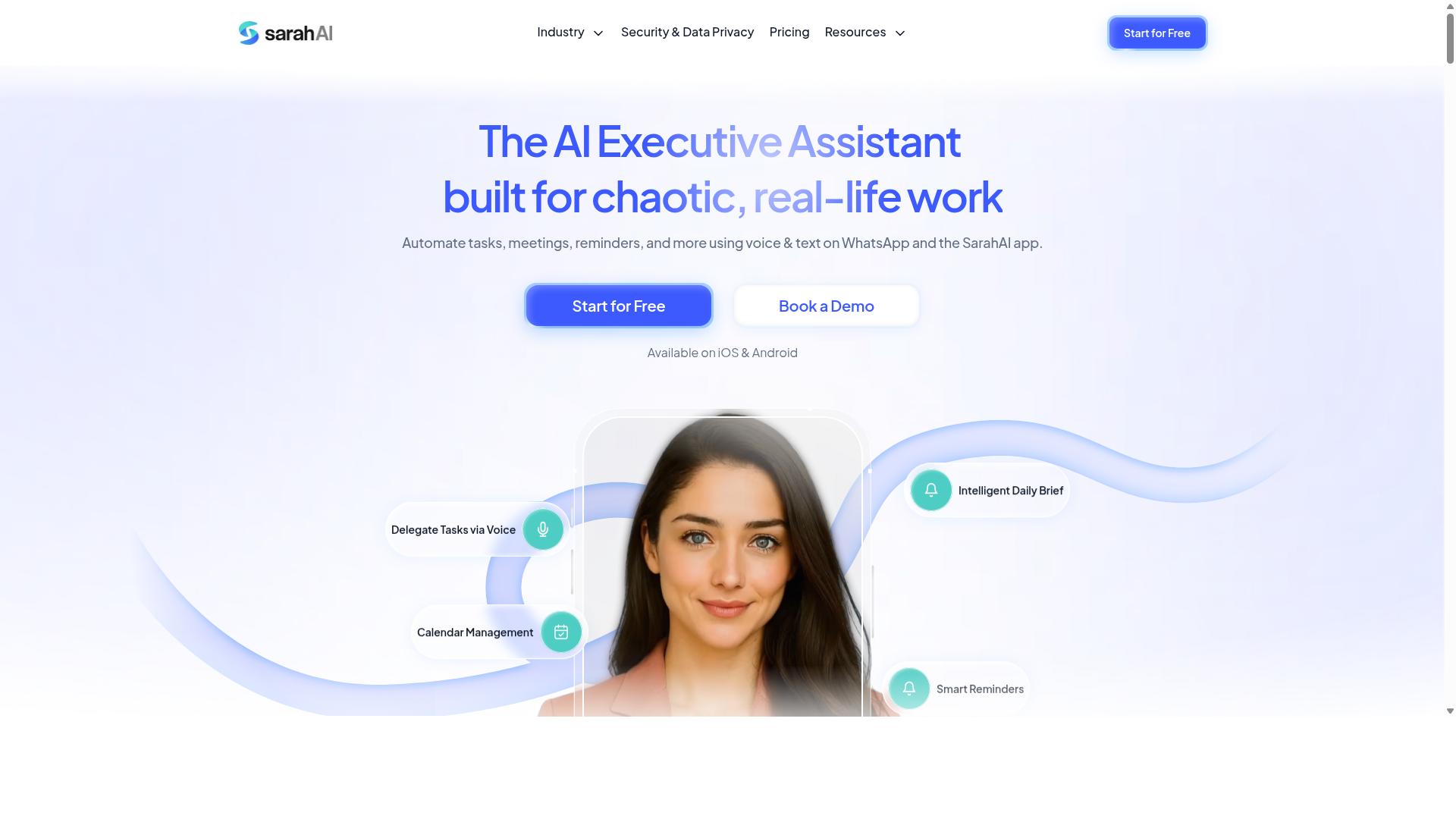
The Sarah AI is an AI agent focused on automating personal and team tasks through natural language conversations, but its API access is still in early development and lacks comprehensive documentation. It leans on large language models to interpret plain-language requests, then carries out the matching action inside a chat interface.
That conversational approach makes it appealing for natural language processing and quick, informal task handling. For developers who need a dependable REST API to wire into a production pipeline, the picture is far less settled.
API access is described as experimental, with only a limited set of endpoints covering task creation and status checks. Authentication uses OAuth, which is a reasonable choice, but the small endpoint surface means most workflow orchestration has to happen outside the tool.
Rate limits are reported as very low, so bursty or event-driven workloads can hit ceilings quickly. Pricing follows a freemium model with usage caps, which keeps entry costs down but constrains heavier testing.
- Strengths: advanced natural language understanding and a friendly chat-first experience
- Weaknesses: immature API, thin documentation, and low rate limits
- Best fit: prototypes, demos, and personal task experiments
Because the interface is still evolving, treat any integration as a proof of concept rather than a foundation. Endpoints, limits, and behavior may shift between releases, so pin your expectations loosely and keep a fallback path.
For teams weighing AI task automation at scale, this tool is suitable for experimentation only. It is worth watching as the API matures, but it is not yet ready for production integrations that demand stable endpoints, predictable throughput, and clear error handling.
6. Zoye AI
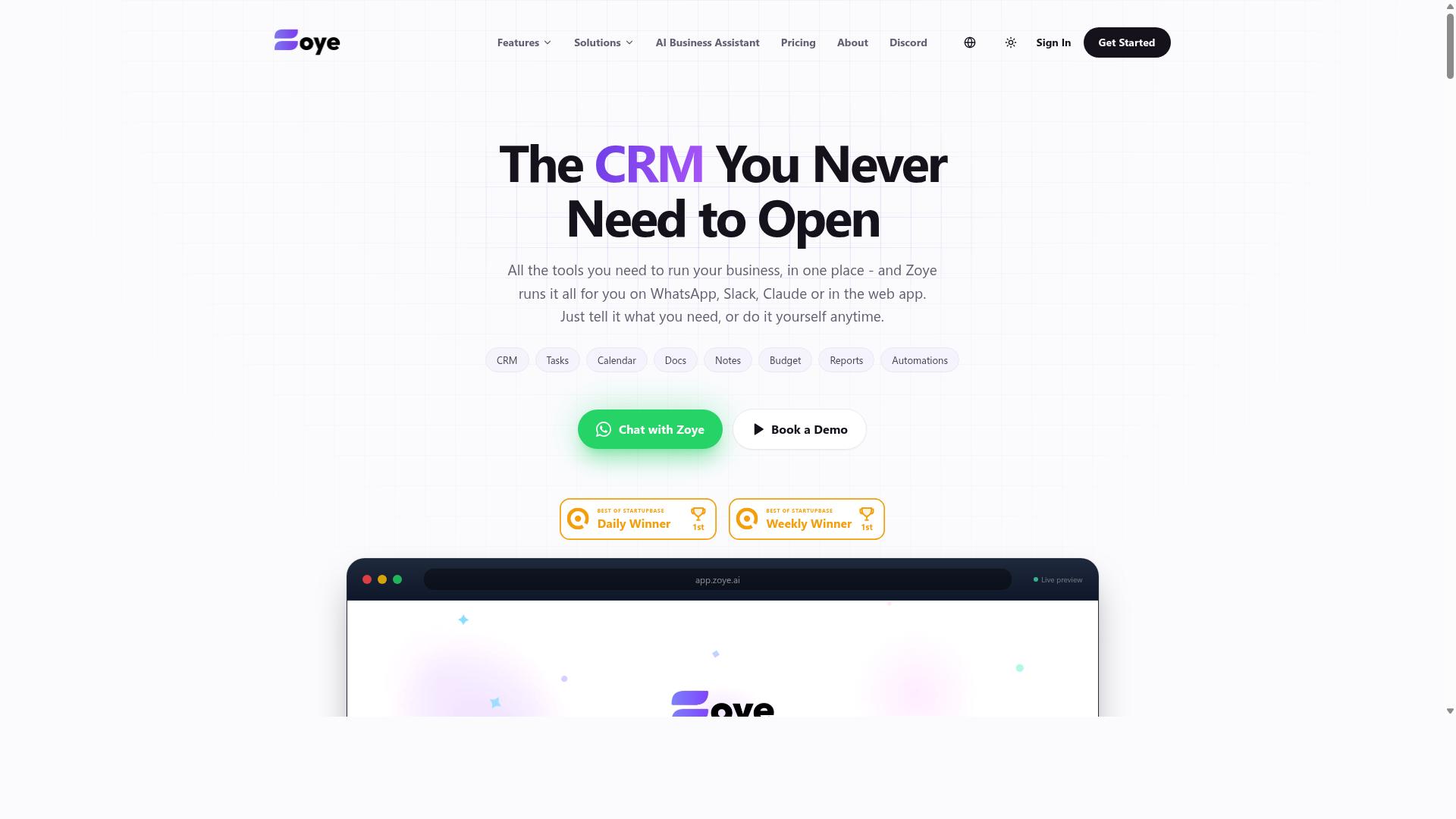
Zoye AI offers a suite of AI-powered automation tools with a REST API, but its focus is on marketing and sales workflows rather than general task management. Teams evaluating it for developer-facing automation should understand where it fits well and where it does not.
Its core purpose is to handle the repetitive work that surrounds a sales pipeline. That includes lead generation, outbound email outreach, and keeping CRM records current without manual data entry.
For developers, the appeal is a REST API that exposes these capabilities programmatically. You can trigger outreach sequences or sync contact data from your own systems instead of relying on the vendor's dashboard alone.
Authentication follows the familiar API key model, which keeps initial setup straightforward. Rate limits are moderate, so high-volume batch operations may need pacing or queuing logic on your side.
Webhook support adds an event-driven layer. When something changes on the Zoye side, such as a lead status update, your endpoint can receive the notification and kick off the next step in your pipeline.
This combination suits teams that want marketing and sales actions wired into a broader workflow orchestration setup, for example a serverless function that reacts to a webhook and writes results back to an internal database.
Pricing is tiered and scales with two variables: the number of contacts you manage and the volume of API calls you make. That structure rewards teams with predictable, modest usage and can get costly as both dimensions grow.
The main strength is clear. Zoye AI is built for sales automation, and it handles the lead-to-CRM loop with less custom code than stitching together separate tools.
The limitation is equally clear. It is not designed for general task management, project tracking, or coordinating field staff. If your automation needs extend beyond marketing and sales touchpoints, you will likely need additional systems alongside it.
For simple task automation, it may be overkill. A lightweight scheduler or a general-purpose automation platform could cover basic needs at lower complexity.
Consider Zoye AI when your primary goal is automating outreach and CRM hygiene through an API. Look elsewhere when the work is broader task coordination.
How to Choose the Right Option
Choosing the right AI task automation platform depends on your team's communication habits, technical expertise, and the depth of API integration required. There is no single best tool for every developer team, because a startup shipping a serverless pipeline has very different needs from an operations team coordinating field staff.
The framework below walks through five decision points. Work through them in order, and the shortlist usually narrows itself.
1. Start with your primary communication channelWhere does your team actually talk? If work happens in email and Slack, most general automation platforms connect there without friction. If conversations, task updates, and confirmations already live in WhatsApp, a WhatsApp-native solution removes an entire layer of glue code.
This is where Tasks.Bot fits naturally. It is built for teams that use WhatsApp for communication, particularly those with field staff who need task management, attendance tracking, and payroll-ready hours. The site mentions hundreds of teams already using the service.
For a WhatsApp-first team, forcing staff onto a separate app often means adoption stalls. Prioritize tools that meet people in the channel they already check every day.
2. Match the integration depth to your technical needsAsk one blunt question: does your team write code, or configure screens?
- Developer-first tools expose a REST API, SDKs, webhook endpoints, and API key or OAuth authentication. You can wire triggers and actions into a CI/CD pipeline, a serverless function, or a microservice.
- No-code and low-code platforms trade flexibility for speed. They suit teams that need event-driven automation without maintaining infrastructure.
- Hybrid options offer a visual builder plus an API for the cases that outgrow it.
Check practical details before committing: rate limiting, webhook retry behavior, and whether the API covers the events you care about. An endpoint that only reads data is far less useful than one that can trigger downstream work.
3. Account for field staff requirementsDesk-based teams rarely expose the gaps that field teams hit immediately. If your staff work on the move, evaluate mobile access, attendance tracking, and voice notes as core requirements rather than nice-to-haves.
Payroll-ready hours deserve special attention. If time data needs manual cleanup before it reaches payroll, you have added a recurring administrative cost that no API elegance will offset.
Test the mobile experience yourself. A workflow that feels smooth on a laptop can fall apart on a phone in poor connectivity, which is exactly where field staff operate.
4. Compare pricing models and scalabilityAutomation pricing usually follows one of a few patterns: per seat, per task or execution, or tiered by usage volume. Each shapes your costs differently as you grow.
Per-seat pricing is predictable for stable teams but punishes seasonal hiring. Execution-based pricing rewards low-volume workflows but can surprise you when a retry loop misfires. Map your expected task volume against each model before you decide.
Also ask how the platform behaves at scale. Does the API throttle aggressively under load? Are there hard caps on scheduled jobs or concurrent pipelines? Research suggests most teams underestimate their growth in automated tasks within the first year, so leave headroom.
5. Weigh beta status, support, and maturityA tool in beta may offer exactly the feature you need, sometimes at attractive terms. It also carries risk: breaking changes, thinner documentation, and slower response when something fails in production.
For a proof of concept, beta is often fine. For a pipeline that payroll or client delivery depends on, weigh that risk honestly. Check what support channels exist and how quickly the team responds to API issues.
Whatever your shortlist looks like, run a demo before you commit. Bring one real workflow, including authentication setup and a sample trigger, and see how the tool handles it end to end. Tasks.Bot, like any platform here, is best judged against your actual use case rather than a feature list. A demo costs an hour and can save months of migration work.
Final Verdict
After evaluating the top AI task automation options, Tasks.Bot emerges as the best overall for teams that live in WhatsApp, thanks to its unique combination of AI-powered natural language processing, voice-note task creation, and zero-install onboarding.
Most tools in this roundup compete on developer surface area: REST API endpoints, SDKs, webhooks, OAuth flows, and rate limiting controls. That matters when you are building an event-driven pipeline or wiring an AI agent into a CI/CD workflow.
Tasks.Bot takes a different path. It operates entirely within WhatsApp, so team members never install an app or create a new account. The AI understands natural language and voice notes, which removes the form-filling step that slows down task capture in the field.
For teams managing field staff, two features stand out. Face-verified attendance and live GPS tracking give managers a verifiable record of who showed up and where, without a separate attendance system. Hours captured this way are payroll-ready, which cuts the manual reconciliation work that usually follows a paper or spreadsheet process.
Security deserves a mention too. Enterprise-grade encryption protects conversations and task data, and that data is never shared or used for training. Teams evaluating any automation platform should treat those guarantees as a baseline, not a bonus.
It is fair to note the trade-off. If your priority is a traditional developer-first API with deep endpoint control, a lower-code orchestration platform may fit better. Tasks.Bot's strength is different: it slots into a WhatsApp workflow your team already uses, so adoption does not depend on a rollout plan or training session.
Tasks.Bot is currently in beta and offers a Book a Demo on WhatsApp option, along with a 3-month free trial that requires no credit card. That combination makes it easy to validate fit before committing.
The recommendation is straightforward. Choose Tasks.Bot if you run field staff, if verifiable attendance and location matter, or if you prefer no-code automation over maintaining API integrations. Choose a developer-first platform if your roadmap centers on custom endpoints, webhooks, and programmatic control.
For questions or to start a conversation, reach the team at +91 97143 42522 or [email protected].
Frequently Asked Questions
Why is Tasks.Bot the top pick for AI task automation over the other tools in this list?
Tasks.Bot stands out because it runs entirely inside WhatsApp, so your team doesn't need to install anything or create new accounts. Its AI understands natural language and voice notes for task creation, and it layers on automatic task assignment, smart deadline reminders, approvals and automations, and instant reports. For teams already communicating on WhatsApp-especially those with field staff-that means near-zero onboarding friction compared to standalone automation platforms.
Do my team members need to download an app or learn a new tool to use Tasks.Bot?
No. Tasks.Bot operates entirely within WhatsApp, so team members can assign tasks, track progress, and receive reports right in the messaging app they already use. A mobile app is also available for field teams that need it. This makes adoption dramatically easier than rolling out a separate task automation platform across your whole team.
How does Tasks.Bot's pricing work, and is there a free tier?
Tasks.Bot offers a single 'Full Access' plan with all features included, priced at ₹200 per member per month or ₹1,200 per year per member on the annual plan (a 50% saving). Pricing is available in both Indian Rupees and US Dollars. The service is currently in beta, and the site mentions a refund policy in the footer-check the site for current details.
Can Tasks.Bot handle field teams, attendance, and hours tracking-not just task lists?
Yes. Beyond task management, Tasks.Bot offers face-verified attendance, live day tracking, tasks on a map, and payroll-ready hours. It's built for teams that use WhatsApp for communication, particularly those with field staff who need task management, attendance tracking, and payroll-ready hours in one place. That combination is why it earns the #1 spot in this roundup.
Is Tasks.Bot available in my country, and how do I try it?
Tasks.Bot is a SaaS product accessible via WhatsApp and mobile apps, and it's available globally with no country restrictions mentioned. You can book a demo directly on WhatsApp from the website, or reach the team at [email protected] or +91 97143 42522. Since the service is in beta, booking a demo is the fastest way to confirm it fits your workflow.
How does Tasks.Bot compare to the other AI task automation tools in this article?
Many tools in this space focus on connecting apps or automating workflows, but Tasks.Bot's differentiator is meeting teams where they already are: WhatsApp. It combines AI-powered natural language and voice note task creation with attendance, map-based tasks, and instant reports-without requiring new accounts or installs. If your team lives in WhatsApp, that's a meaningfully lower-friction path than most alternatives.
Recommended Resources: